Testing networking code might sound tricky at first but in reality, it just means using custom URLProtocol what returns data we would like to. This allows testing the networking module without mocking URLSession. Using this approach we could do so much more, even integrating a third party networking library.
Networking class wrapping URLSession
Firstly, let’s set up a simple WebClient class what uses URLSession for initiating networking requests. It has a fetch method for loading URLRequest and transforming the response to expected payload type using Codable. As payload can be any type, we use generics here. Note that we need to pass in the payload type as a variable because we need the exact type when decoding the JSON data. How can we test this as URLSession would try to send an actual request to designated URL? As unit tests should behave exactly the same all the time and should not depend on external factors, then using a separate test server is not preferred. Instead, we can intercept the request and provide the response with custom URLProtocol.
This file contains hidden or bidirectional Unicode text that may be interpreted or compiled differently than what appears below. To review, open the file in an editor that reveals hidden Unicode characters.
Learn more about bidirectional Unicode characters
URLProtocol is meant to be overridden. Firstly, we’ll need to override canInit(with:) and return true here allowing URLSession to use this protocol for any URL request. Secondly, it is required to override canonicalRequest(for:) where we can just return the same request. Thirdly, startLoading, where we have the loading logic which uses class property for returning appropriate response. This allows us to set this property in unit tests and then returning the result when URLSession handles the fetch request. Finally, URLProtocol also needs to define stopLoading method what we can just leave empty as this protocol is not asynchronous.
This file contains hidden or bidirectional Unicode text that may be interpreted or compiled differently than what appears below. To review, open the file in an editor that reveals hidden Unicode characters.
Learn more about bidirectional Unicode characters
Using TestURLProtocol for mocking network requests in unit tests
Setting up a unit test requires to set the TestURLProtocol’s loadingHandler and returning the data we would like to. Then we create URLSessionConfiguration and set our TestURLProtocol to protocolClasses. After that we can use this configuration for initialising URLSession and using this session in our WebClient which handles fetch requests. That is pretty much all we need to do for testing networking requests.
This file contains hidden or bidirectional Unicode text that may be interpreted or compiled differently than what appears below. To review, open the file in an editor that reveals hidden Unicode characters.
Learn more about bidirectional Unicode characters
Testing networking code at first might sound daunting. But actually it just boils down to using custom URLProtocol and providing response we need to in our test.
There are several ways how to create user interfaces on iOS: programmatically, xib per view or using storyboard for multiple views. Personally I tend to use xibs and programmatically created layouts more but sometimes I also use UIStoryboard – depends on the situation on hand. Therefore I like to present two small additions to UIStoryboard API what makes instantiating view controllers more compact and convenient to use.
This file contains hidden or bidirectional Unicode text that may be interpreted or compiled differently than what appears below. To review, open the file in an editor that reveals hidden Unicode characters.
Learn more about bidirectional Unicode characters
The approach I would like to present is a generic instantiate view controller method. It implies that in storyboard, the view controller’s identifier is set to the name of the view controller class.
When Storyboard ID for the view controller is set to the class name, it is now easy to derive the identifier from a type. It should be noted that in Swift, NSStringFromClass returns string with format <module name>.<class name>. Therefore it required to parse the returned string and taking only the class name part.
This file contains hidden or bidirectional Unicode text that may be interpreted or compiled differently than what appears below. To review, open the file in an editor that reveals hidden Unicode characters.
Learn more about bidirectional Unicode characters
In addition, with convenience method for getting storyboard, we can get to end result which is more compact and also avoids having identifier strings in the code.
This file contains hidden or bidirectional Unicode text that may be interpreted or compiled differently than what appears below. To review, open the file in an editor that reveals hidden Unicode characters.
Learn more about bidirectional Unicode characters
In this post we will go over basic usage of generics in Swift by building a simple singly linked list.
Introduction to generics
Generic code is code where the functionality is described without using specific types. Meaning, the code can use any types what match with constraints (if there are any). It’s best to take a look on an example. See how separate functions can be replaced with a single implementation.
This file contains hidden or bidirectional Unicode text that may be interpreted or compiled differently than what appears below. To review, open the file in an editor that reveals hidden Unicode characters.
Learn more about bidirectional Unicode characters
Generic implementation defines a placeholder for a type (in angle brackets), in those examples T was used (can be something else but it is the most common placeholder). If multiple type placeholders are needed, placeholders are separated with commas. In addition, it is possible to constrain the type, for example, requiring the type to conform to comparable protocol allowing to use comparisons in the generic function’s implementation. It’s the bare minimal knowledge required for getting started with generics. There is a lot more about it.
Singly linked list
Singly linked list is a data structure where every node knows about the next node, but not about the preceding node. The benefit of such data structure is efficiency when inserting and removing nodes. On the other hand it does not allow random access of nodes.
Defining a generic linked list is quite easy. First we need a LinkedList struct storing the first node. Node stores a value and the next node. When inserting or removing nodes from the list, next property is updated. Therefore node needs to have reference semantics for making sure all the objects are pointing at the correct next object (in value semantics new instances would be created when mutating the next property and it would break the continuity of the list).
This file contains hidden or bidirectional Unicode text that may be interpreted or compiled differently than what appears below. To review, open the file in an editor that reveals hidden Unicode characters.
Learn more about bidirectional Unicode characters
As said before, inserting and removing nodes is just a matter of updating the next properties. Therefore when inserting a node, its next node is the current node’s next node and the current node’s next node is the inserted node.
This file contains hidden or bidirectional Unicode text that may be interpreted or compiled differently than what appears below. To review, open the file in an editor that reveals hidden Unicode characters.
Learn more about bidirectional Unicode characters
This file contains hidden or bidirectional Unicode text that may be interpreted or compiled differently than what appears below. To review, open the file in an editor that reveals hidden Unicode characters.
Learn more about bidirectional Unicode characters
In this post we took a quick look at how to write generic code and applied that knowledge on generic version of singly linked list. It should be noted that here we used only the basics of generics and for example the linked list implementation could also benefit from associated types allowing to replace Node with for example, Element.
We will look into how to make a property observable using a separate class managing the observers. It is an alternative and simple way of observing property changes without using ReactiveSwift, Key-Value Observing or anything else similar. It can be an excellent glue between Model and View Model in MVVM or between View and Presenter when using VIPER architecture.
Creating a class Observable
This file contains hidden or bidirectional Unicode text that may be interpreted or compiled differently than what appears below. To review, open the file in an editor that reveals hidden Unicode characters.
Learn more about bidirectional Unicode characters
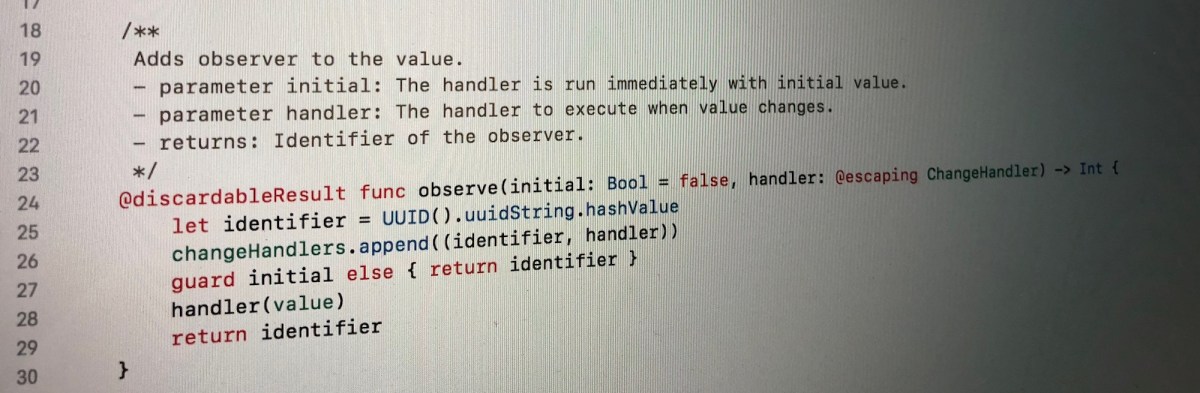
The class Observable holds a value what can be of any type. Now when the value is store by the class itself we can use Swift’s property observer and then calling change handlers. This allows creating an object with observable properties and observing those properties from other objects. Moreover, it is possible to remove any of the added observers.
Let’s take a look on an example of class “Pantry” what has a property holding array of jams. In the example we will add two observers: one reacting to changes and the other one what will also react to the initial value. When one of the observer is removed and the array of jams changes, only one of the observers is triggered.
This file contains hidden or bidirectional Unicode text that may be interpreted or compiled differently than what appears below. To review, open the file in an editor that reveals hidden Unicode characters.
Learn more about bidirectional Unicode characters




 Augmented Code